You can spend hours making a useful YouTube video and still struggle to get people to click. A strong title gives the right viewer a clear reason to watch, but coming up with that title does not have to start with a blank page.
Our approach starts with the video you actually made: its transcript. By giving ChatGPT the full context, you can uncover stronger hooks, generate search-friendly YouTube titles, and choose variations worth testing without asking AI to guess what your content delivers.
Why your transcript produces better YouTube title ideas
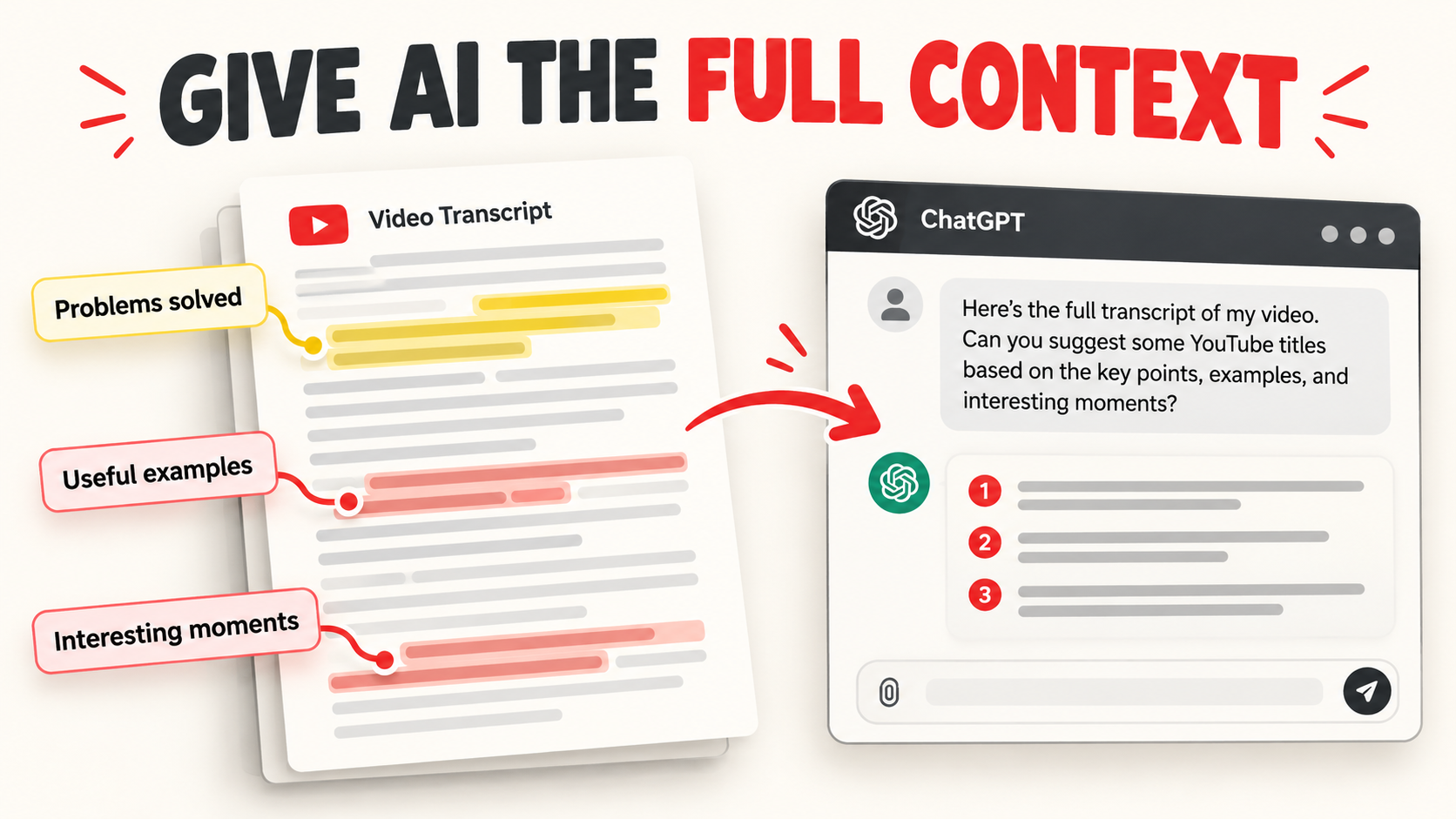
If you give an AI tool only a topic and ask for catchy titles, it has very little to work with. The suggestions may sound polished while missing the most interesting part of your video. A transcript provides the problems you solve, the examples you share, and the moments that might make someone curious.
This matters because a video can change during filming. You might begin with one broad idea and end up spending most of the time demonstrating a specific technique. The strongest title should reflect the finished content, even if that means moving away from your original working title.
How to write YouTube titles with ChatGPT and a transcript
1. Upload your video and get its transcript
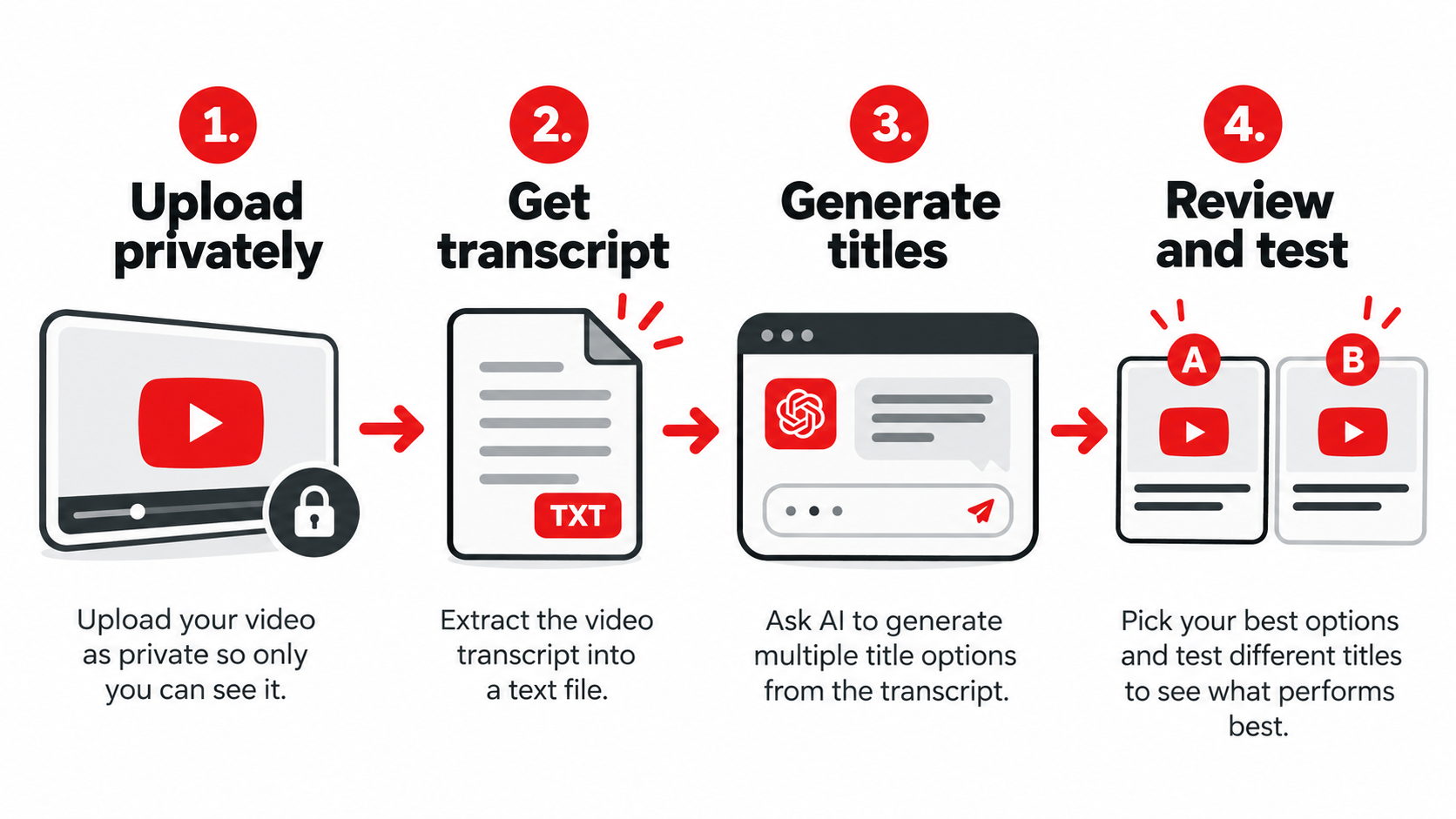
For a new upload, keep the video private or unlisted while you prepare its packaging. Give YouTube time to process the automatic captions; in our workflow, this can mean waiting a couple of hours. You do not need to make the video public to start working on the title.
In YouTube Studio, open the video and look for its language or subtitle controls. Open the captions, then use the available options to download the transcript or subtitles. Review obvious transcription errors before using the text, particularly product names, numbers, and technical terms.
2. Give ChatGPT the channel, topic, and full transcript
We keep the prompt deliberately simple. It tells AI which channel the video belongs to, gives the working topic, and asks for multiple title styles based on the attached transcript.
I just made a YouTube video for my channel called [channel name]. The topic of the video is [working topic]. I am attaching the transcript so you can understand what the video is about. Give me multiple alternate high-CTR title ideas and search-friendly title ideas.
You can also ask for hybrid options that combine a clear topic with a reason to click. Treat every suggestion as a draft: check that its promise is supported by the video before adding it to your shortlist.
3. Look for a stronger angle inside the video
We used one of our lawn-care videos to try this workflow. The original idea was a broad discussion of aeration, but a large part of the finished video showed aerating a lawn by hand. Feeding the transcript to ChatGPT helped surface that more specific angle.
That creates several possible hooks: doing the job manually, avoiding a rented machine, or working on a small lawn. Each angle comes from what is actually in the video. The exercise is to find the most compelling reason to watch, then describe it accurately.
Search-friendly YouTube titles versus curiosity titles
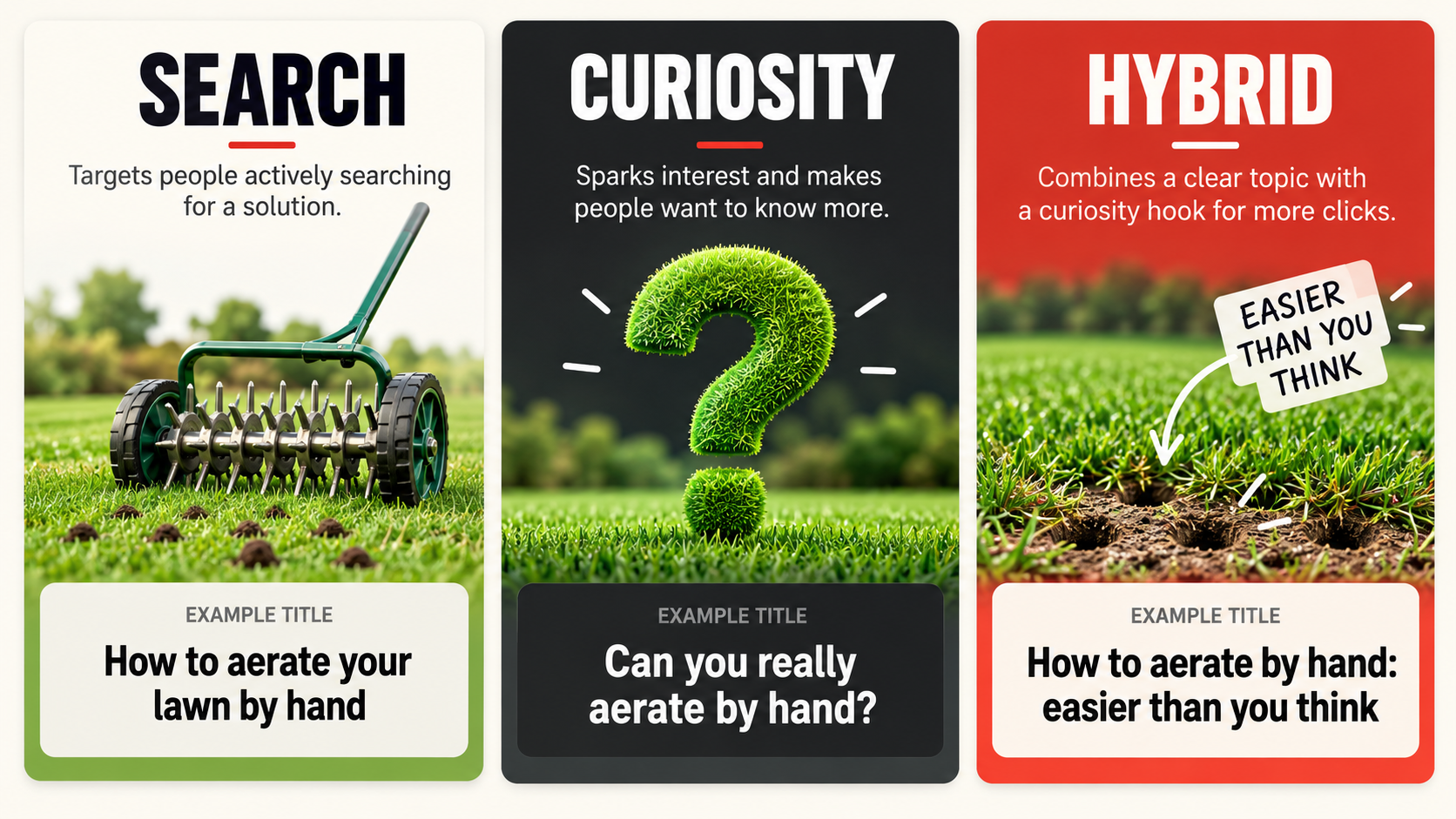
Different title styles emphasize different reasons to click. We like generating more than one style because it gives us useful choices rather than ten variations of the same hook.
Search-friendly titles make the topic clear
A title such as “How to Aerate Your Lawn by Hand: Step-by-Step Guide” tells a viewer exactly what they will learn. “How to Aerate a Small Lawn Without a Machine” takes another specific angle on the same demonstration.
Our recommendation for smaller channels is to lean toward clarity. A direct topic can help the right viewer recognize the video and gives search systems explicit context. It is a practical approach to packaging, rather than a guarantee that a particular title will rank or trigger recommendations.
Curiosity titles highlight a reason to watch
“Can You Really Aerate Your Lawn by Hand?” creates an open question. “Stop Renting Lawn Aerators—Try This Instead” leaves the method unstated while still naming the subject. We use these as headline examples, rather than universal recommendations about lawn care.
Curiosity works best when the video satisfies the question it creates. A surprising title that promises something the content never delivers can attract the wrong click and disappoint the viewer.
Hybrid titles combine clarity and a hook
Our favorite example is “How to Aerate Your Lawn by Hand: It’s Easier Than You Think.” It names the task while offering a reason to learn more. This is often the balance we prefer for a small channel: viewers understand the topic and still have a reason to be curious.
Be careful with AI-generated specifics. If a suggestion includes a time frame, area, cost, or result, use it only when the video supports that detail. An attractive headline is not a reason to invent a stronger outcome.
Use title scores to shortlist, then test with real viewers
We use the vidIQ Chrome extension as an additional opinion when comparing titles. The hybrid lawn-aeration title receives a score of 98, while other candidates receive 85, 86, and 94. Those were our title scores, not actual click-through rates or promises of future performance.
We find those scores useful when two or three titles already look good. ChatGPT’s favorites and vidIQ’s predictions can reinforce a shortlist, but neither replaces your judgment or evidence from the audience.
Click-through rate describes the relationship between clicks and impressions. A title score is a tool’s prediction, while your video’s measured CTR reflects viewer behavior. Keep those two ideas separate when deciding whether a title is working. For details, see this Wikipedia reference.
For eligible videos, use YouTube Studio’s A/B testing controls to compare up to three title or title-and-thumbnail options. Check your channel’s feature eligibility if the controls are unavailable. YouTube’s test evaluates watch time, so review the test result rather than assuming the option with the most intriguing wording must win.
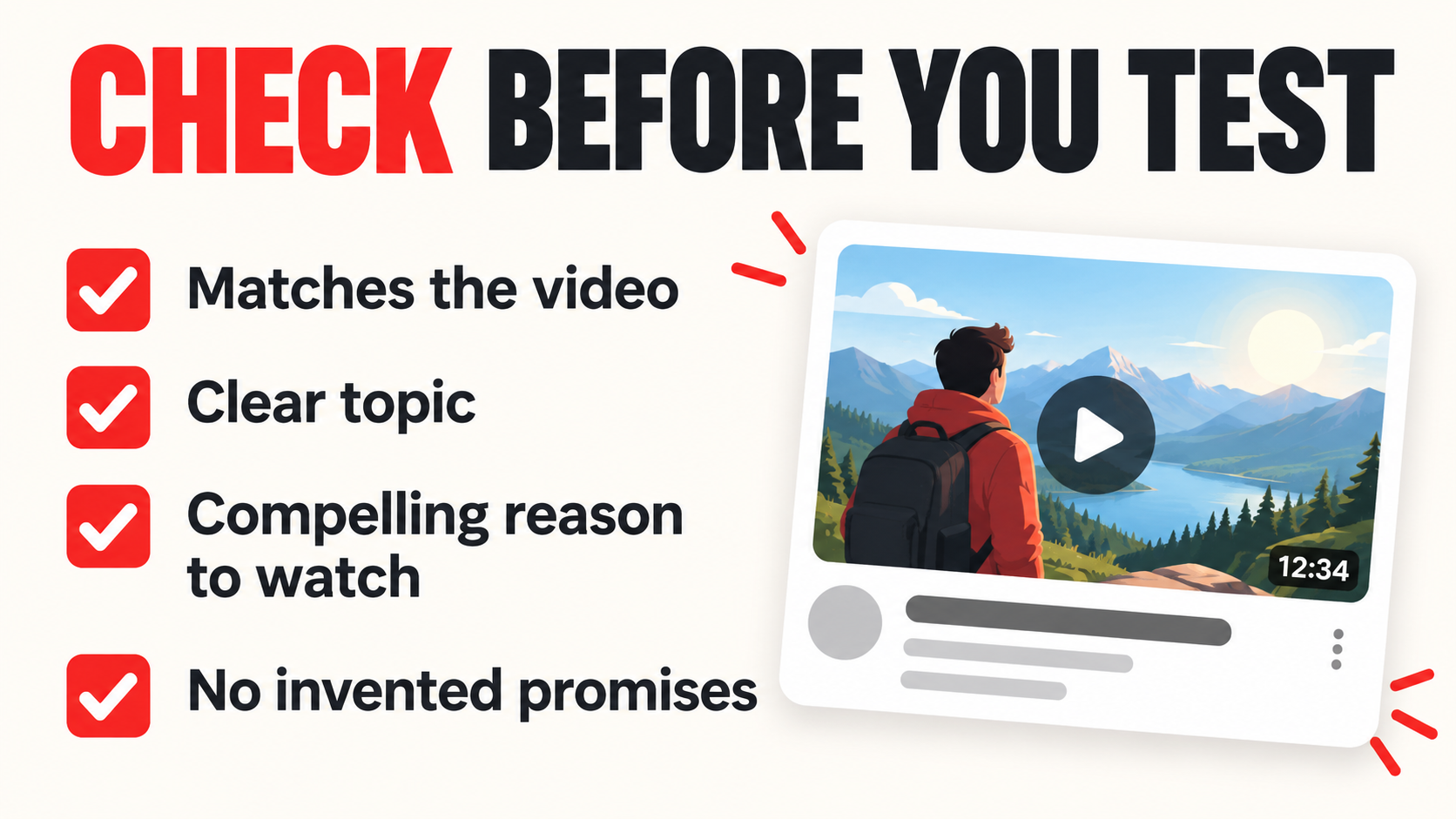
Before testing, review each candidate against a short checklist. If none feels right, run the prompt again or ask for another angle from the transcript.
- Does the title match the video’s actual content?
- Can the intended viewer recognize the topic?
- Does it offer a compelling reason to watch?
- Are specific promises supported by the footage?
If you are still building your first uploads, our plan for your first five YouTube videos can help you choose a manageable starting point. Apply this title workflow to each finished video so its packaging reflects what you actually created.
Build a channel with a repeatable growth strategy
Better titles are one part of building a channel that earns. Join our YouTube Growth Academy community to learn how to grow your channel, work toward monetization, and use the exact strategies we use to make money on YouTube. Inside YouTube Growth Academy, you can learn our approach to channel launches, video topics, thumbnails, descriptions, and troubleshooting.
Join the YouTube Growth Academy!
Frequently asked questions about YouTube titles
Can ChatGPT write YouTube titles from a transcript?
Yes. Attach the transcript, explain the channel and topic, and ask for multiple search-friendly, curiosity-driven, and hybrid options. Review the results to make sure every title accurately describes what viewers will see.
Do I need to publish my video before getting its transcript?
No. Our workflow starts with a private or unlisted upload, then waits for automatic captions to process. You can use that transcript to prepare the title before making the video public.
Should a small channel use SEO-friendly YouTube titles?
We recommend making the subject clear, especially while establishing a new audience. A hybrid title can include the relevant topic and a compelling hook, giving viewers both context and a reason to click.
Does a high vidIQ title score guarantee more views?
No. We use scores as another opinion when shortlisting titles, not as proof that a title will succeed. Actual results depend on the video, audience, thumbnail, and how viewers respond.
Can I test more than one YouTube title?
Eligible videos can use YouTube Studio’s A/B testing feature to compare up to three options. Check the available controls and feature eligibility in your own account, then evaluate the test’s watch-time result.